If you don’t know what virtualization1 is, you probably don’t need it.
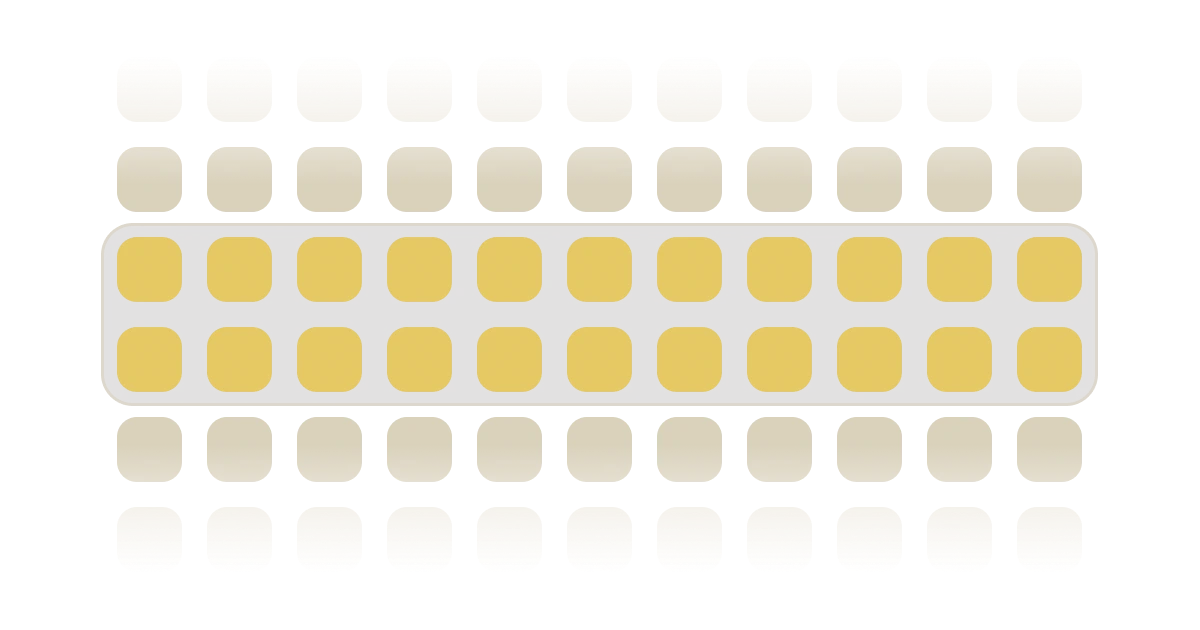
It renders only the items that need to be visible in the UI. You’ll also see it called windowing, virtual scrolling, or just a virtual list, and they all mean the same thing. Most lists are short and most grids are small enough that the browser draws them without complaint.
I didn’t need it either, until I decided to put the entire Unicode table on a page.
Here is the whole idea in one running component: ten thousand cells in a grid, with only the visible handful in the DOM. Scroll it, then flip to the Vue (code) tab.
A quick word on what “in the DOM” means, because the rest of this article hangs on it. The DOM is the browser’s live model of the page: every div, button, and span is a node in one big tree, and the browser has to lay each node out, paint it, and keep it in memory. A few hundred nodes are nothing. Tens of thousands are a problem, and the problem compounds when they keep changing.
In practice, the Character map
I built a tool called Character map. It scans over 30,000 code points (Unicode’s term for one character), loaded once and cached in the browser’s built-in database IndexedDB, so the table doesn’t re-download on every visit. You browse it through a grid of tiles. The filtered results are capped at 2,000, and I assumed that ceiling would keep it smooth.
Narrator: It didn’t.
The first version rendered every result, so a single filter pass produced 2,000 buttons. Scrolling stuttered, and resizing was worse because the browser had to recalculate the position of every tile in the grid.
Search is debounced at 150ms, meaning it waits until you’ve paused typing for 150ms before running the filter, and even so, each pause re-ran the filter, threw away the grid, and rebuilt it.
Memory climbed while I typed. Two thousand rows are nothing to a database, but two thousand live elements in a reflowing grid were plenty to kill scroll performance on a dataset this size.
It took me a while to realise that there were two costs involved:
- One is the number of DOM nodes.
- The other is how often the existing nodes rebuild.
Virtualization fixes the first and, on its own, does nothing about the second. We’ll get to the second thing later.
Lying to the scrollbar
At any moment, the viewport (the visible area of the scroll container) shows a few rows. Everything above and below is off-screen and, as far as the user can tell, doesn’t need to exist. So you keep the visible rows in the DOM plus a small buffer, and drop the rest. As you scroll, the top and bottom rows are mounted/unmounted depending on the direction. The user sees a full list, and the browser only cares about a few rows.
The catch is the scrollbar. A scrollbar’s length is as big as the content, so if only twenty rows exist, you hit the bottom of a list that’s supposed to hold thirty thousand and the whole thing falls apart. So the scrollbar has to keep lying. The lie is a single spacer element that wraps the existing rows, sized to the height the rows would occupy if they all existed at the same time. The rows you mount are placed on top of that spacer with a translateY offset, shifting elements down by a few pixels without breaking the layout.
Which rows to mount now will depend on arithmetic. You always know the scroll position and the row height, so dividing one by the other tells you which row index sits at the top edge of the viewport; add the viewport height, and you have the bottom edge. React called this windowing2, and web.dev walks through the same pattern with react-window3. The mechanics are identical in Vue.
Stripped of framework, the whole geometry is three numbers:
const spacerHeight = rowCount * rowHeight;

const startRow = Math.floor(scrollTop / rowHeight);
const endRow = Math.ceil((scrollTop + viewportHeight) / rowHeight);

// each mounted row sits at translateY(rowIndex * rowHeight)
Only the rows from startRow to endRow exist. Everything the scrollbar believes about the rest of the content comes from the spacer. It all comes down to one division: rows are 80px tall, you’ve scrolled 800px, so row 10 sits at the top edge. Nothing gets searched or measured.
The payoff is that the DOM node count stops tracking the dataset. Twenty rows on screen means twenty-odd rows in the DOM, whether the list holds two thousand entries or two hundred thousand. As far as the layout engine is concerned, the other 199,980 rows are a myth.
The grid is a list of rows in a trench coat
This is where my grid diverged from the tutorials. A virtualiser4, the library that handles the windowing bookkeeping for you, thinks in lists: one item per index, stacked vertically, each taking the full width. My tiles sit twelve to a row. Hand the virtualiser the flat array of tiles, and it will earnestly stack 2,000 full-width rows of one glyph each, and every offset it calculates is wrong.
The fix is to change what an item means. Slice the flat list into groups of twelve first, and make each group the virtual item. The virtualiser counts and positions rows, never knowing whether they contain cells; a plain CSS grid lays the tiles out inside each one.
The demo at the top does all of this by hand: reads scrollTop, divides by the row height, and mounts the window. For the Character map, I used TanStack5’s useVirtualizer instead, purely for simplicity’s sake: someone has to own the scroll listener, the range maths, and the offsets, and I’d rather it wasn’t me.
In code, that’s one computed and one hook. A computed is Vue’s memoised derived value; it recalculates only when something changes. rows does the slicing, and the virtualiser gets told three things: how many rows there are, which element scrolls, and that each row is about 80px tall. Trimmed from the Character map:
const columns = 12;

const rows = computed(() => {
  const out: Char[][] = [];
  for (let i = 0; i < filteredChars.value.length; i += columns)
    out.push(filteredChars.value.slice(i, i + columns));
  return out;
});

const virtualGrid = useVirtualizer(
  computed(() => ({
    count: rows.value.length,
    getScrollElement: () => grid.value,
    estimateSize: () => 80,
    overscan: 5,
  })),
);
The template renders only the visible rows, each with its own grid:
<div ref="grid" class="overflow-y-auto h-[60vh] min-h-80">
  <div :style="{ height: `${virtualGrid.getTotalSize()}px`, position: 'relative' }">
    <div
      v-for="row in virtualGrid.getVirtualItems()"
      :key="row.key"
      class="grid grid-cols-3 lg:grid-cols-12 absolute w-full"
      :style="{ height: `${row.size}px`, transform: `translateY(${row.start}px)` }"
    >
      <button v-for="c in rows[row.index]" :key="c.cp" @click="openDetails(c)">
        {{ c.char }}
      </button>
    </div>
  </div>
</div>
Two details hide in that setup. estimateSize: () => 80 is a promise that every row is 80px tall, so the virtualiser never has to measure anything. And in the real component columns isn’t a constant: it’s its own computed fed by a breakpoint helper, 12 on desktop and 3 on mobile. That means a resize past the breakpoint changes how many rows the list has, rows recomputes, and the virtualiser recounts, all without anyone touching the scroll position.
What to do about overscan
Overscan is the number of extra rows past the visible edge that stay mounted, a buffer above and below the window. In the window math from earlier, it widens both edges before they’re clamped to the ends of the list:
const startRow = Math.max(0, Math.floor(scrollTop / rowHeight) - overscan);
const endRow = Math.min(
rowCount,
Math.ceil((scrollTop + viewportHeight) / rowHeight) + overscan,
);
CharacterMap keeps 5, and I found that number by getting it wrong first. At 1 or 2, a fast flick on a phone flashed a blank space at the leading edge, so for a frame or two, there was simply nothing there. Raising it gave the browser rows in reserve, at the cost of mounting tiles nobody would ever scroll to. Past about 10 I was paying for two extra screens of glyphs to fix a problem I could no longer see. I added and removed until there was no “blank” issue for my scrolling speed.
Why a virtualised grid still re-renders
Windowing fixes node count. It does nothing about how often the surviving rows re-render, and a virtualised grid re-renders a lot. Every scroll frame moves the window. If each visible row re-renders every time, I’ve traded thirty thousand nodes rendered once for twenty nodes rendered sixty times a second. That’s a different problem, and it drops frames just as happily. Both React and Vue tackle the issue differently: how does a row skip re-rendering when nothing about it has changed?
React re-renders by re-running the component and diffing the result against the last one. Normally when a component re-renders, its children re-render too, whether their inputs changed or not. In a virtualised grid, that means a scroll-driven state change can re-invoke every mounted row. React’s way out is to mark the components that can skip updates by wrapping them in memo()6, comparing each prop with Object.is7. That comparison is by reference, so two objects with identical contents still count as two different objects. In JavaScript, {} === {} is false. memo() compares against the last rendered version, and if it sees a different reference, the row is re-rendered. useMemo8 and useCallback9 exist for exactly this, keeping references stable across renders, so memo has something equal to find.
In row form:
const Row = memo(function Row({ chars, onOpen }: RowProps) {
return (
  <div className="row">
    {chars.map((c) => (
      <button key={c.cp} onClick={() => onOpen(c)}>
        {c.char}
      </button>
    ))}
  </div>
);
});

// no memo: new in every render, props are never equal
<Row chars={rows[i]} onOpen={(c) => setSelected(c)} />

// memo: the reference is the same one memo saw last time
const openDetails = useCallback((c: Char) => setSelected(c), []);
<Row chars={rows[i]} onOpen={openDetails} />
Vue starts from the other side. A parent updating doesn’t drag its children along unless their props changed too. The compiler adds its own layer, knowing which parts of a template can change and which never will. Much of what memo does in React is the default here. When you do want manual control, v-memo10 freezes a piece of the template until the values you pick change, and computed covers the derived state.
In the Character map, this shows up as a chain of computed(), each link rerunning only when the one before it changes:
const filteredChars = computed(() => {
  if (!data.value) return [];

  const q = debouncedQuery.value.trim().toLowerCase();
  let chars = data.value.characters;

  if (activeGroups.value.length) {
    chars = chars.filter((c) => activeGroups.value.includes(c.group));
  }

  if (q) chars = chars.filter((c) => c.name.toLowerCase().includes(q) /* … */);

  return chars.slice(0, maxResults);
});
rows recomputes only when filteredChars or columns change, and the virtualiser recounts only when rows changes. Scrolling does not affect that chain. It moves the window and leaves the mounted rows alone.
Both frameworks can reach the same end, but React makes you opt out of re-rendering and Vue makes you opt in.
Two ways to break it: container height and keys
Two more things bit me, and neither is related to React or Vue:
-
The container needs a real height. The fix for me was a fixed height on the scroll container (
60vh) plusoverflow-y-auto. -
Keys have to carry an identity. With a bad key, nodes would get recycled whenever the cell props changed.
My first version keyed tiles by array index. Every keystroke re-filtered the list, and slot 0 kept its node while the glyph inside it changed, so Vue reused a button that was already selected and the highlight stuck to a character I’d never clicked.
<!-- index: look at me, I'm the index 0 now -->
<button v-for="(c, i) in rows[row.index]" :key="i">{{ c.char }}</button>

<!-- identity: oh, hi mark! -->
<button v-for="c in rows[row.index]" :key="c.cp">{{ c.char }}</button>
With each node bound to its own datum, the nodes stopped rerendering. Index keys look fine right up until the previous item moves away, and in a search UI, items tend to move constantly.
Round two: Icon Search
All of this got a second run. Icon Search merges seven icon libraries (Heroicons, Lucide, Phosphor, Solar, Font Awesome, Carbon, Simple Icons) into one searchable set that runs into the tens of thousands. The tiles now have an inline SVG instead of a text glyph. Having done it once already, I barely touched the pattern: filtered results are capped at 2,000, chunked into rows, and virtualised by row.
The biggest change was row height. IconSearch tiles carry a label that can wrap to a second line, so rows aren’t a uniform height anymore. That matters more than it sounds, because every row’s offset is the sum of the heights of all the rows above it. Dynamic height works in two steps. estimateSize still runs first, and its guess (88px here) positions rows on the initial render. Then, as each row mounts, a ref callback hands the node to the virtualiser’s measureElement11, which reads the real rendered height via getBoundingClientRect() and replaces the cached estimate. The data-index attribute tells it which row the node belongs to.
<div
v-for="row in rowVirtualizer.getVirtualItems()"
:ref="(el) => rowVirtualizer.measureElement(el as Element)"
:data-index="row.index"
class="grid grid-cols-4 lg:grid-cols-12 absolute w-full"
:style="{ transform: `translateY(${row.start}px)` }"
>
<!-- tiles for rows[row.index] -->
</div>
Conclusion
The windowing was the easy half. Slicing tiles into rows took an afternoon, and the geometry is three lines of arithmetic that haven’t changed since. What cost me the actual debugging time was the second problem, the one virtualization doesn’t touch: an index key that looked correct in every screenshot and only misbehaved while someone was typing.
That’s the order I’d expect to hit it again. You reach for a virtualiser because the node count is obviously wrong, you fix that in an afternoon, and then you spend a week on keys and references because the grid is still janky and the node count is now perfect. The library owns the first problem. Nobody owns the second one for you.
Both tools are open source: CharacterMap.vue12 and IconSearch.vue13.